Relationships
Declare static architecture interactions, direction, technology, and data flow
Relationships describe the dependencies the architecture intends to exist. Open Model → Relationships.
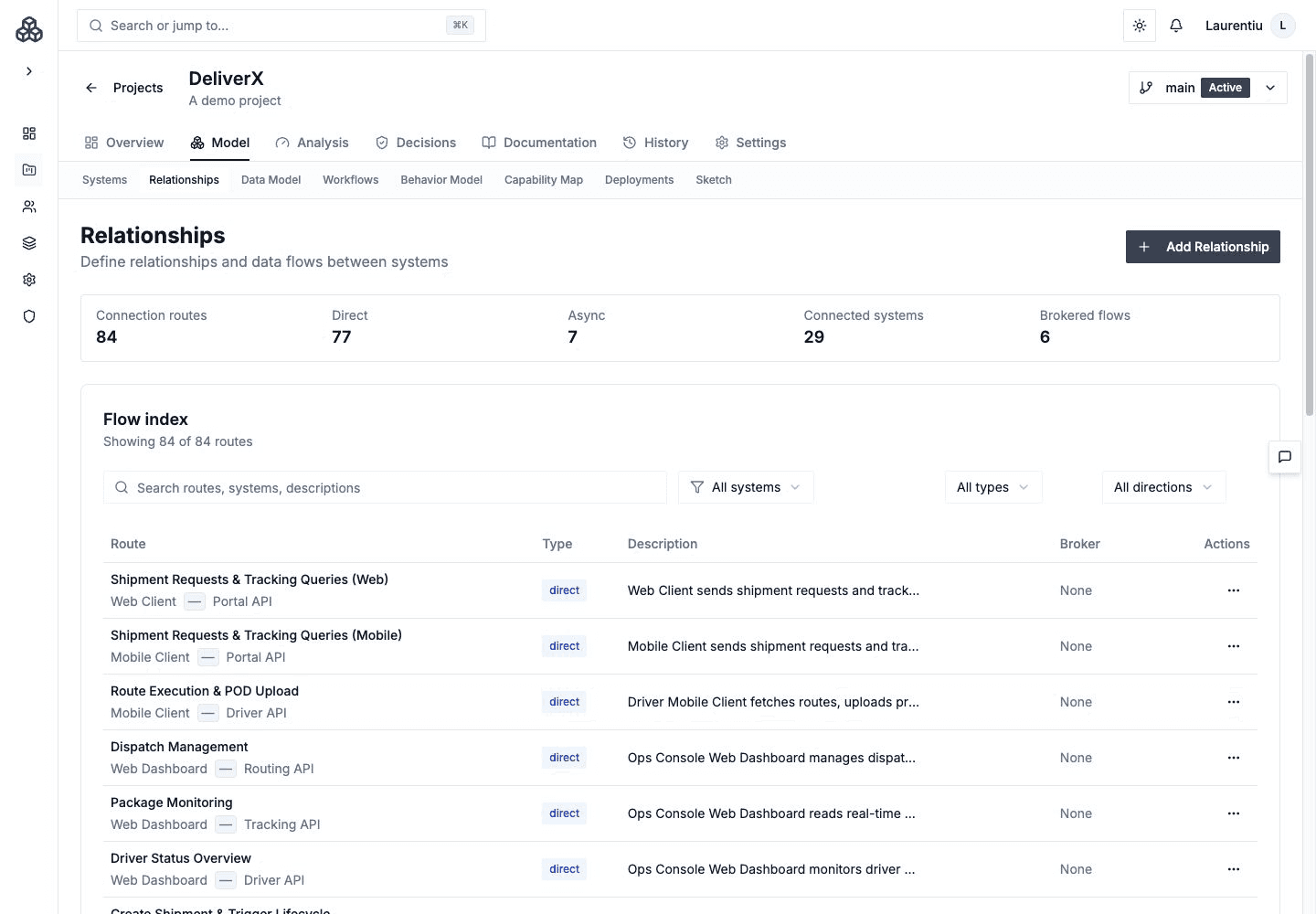
Describe Intent
A useful Relationship answers:
| Question | Example |
|---|---|
| Who initiates and who receives? | Checkout API → Orders Service |
| What crosses the boundary? | Submit order command |
| How does it travel? | Synchronous HTTPS API |
| What mediates it? | Broker or integration platform, when applicable |
| What evidence supports it? | Contract, source path, ADR, or operational note |
Capture synchronous versus asynchronous interaction, direction, technology, endpoint or broker context, and a description meaningful to reviewers.
Broker-mediated delivery is still one logical producer-to-consumer Relationship; the broker is routing context unless the architecture intentionally models separate dependencies.
Create And Review
Create Relationships from the catalog, Architecture Canvas, or a View editor. Every creation changes the canonical model even when initiated from a canvas.
Relationship detail connects static intent to documentation, workflow transitions, endpoint Data Model context, analysis, and published evidence.
Save Relationship Documentation
In the Relationship's Documentation tab, edit and save each section separately: overview, rationale, endpoint, data flow, security, performance, and notes. Unsaved drafts can be restored within the same browser tab; they become shared model content only after a successful Save. A failed save keeps the draft available for retry.
Use View route to inspect the modeled interaction. Saving narrative, an endpoint, or request/response schemas does not replace the Relationship's shared logical data contract. Publishing the updated documentation remains a separate action.
Shared Data Contracts
The Relationship's Data Model tab owns the logical data types shared by every workflow transition linked to that Relationship. Choose Map data types or Edit shared data, select entities from the version's Data Model, and choose Save shared contract.
The editor shows how many workflows and transitions use the Relationship. A shared save updates their inherited data selection; an empty selection is also shared. Saving a workflow's label, condition, or layout does not replace this contract. A transition with no linked Relationship can retain its own local data selection.
Expand a mapped type to inspect attributes, required fields, identifiers, uniqueness, constraints, and related entity cardinalities. These shapes also appear in Documentation → Data flow & schemas and the workflow connection editor. Related entities provide context and are not automatically added to the contract.
Logical entity mappings and request/response schemas serve different purposes. Keep payload schemas in Documentation; use the Data Model for the shared logical vocabulary. Mapping a contract does not assign ownership or invent reader/writer usage.
If another editor has updated the contract, review and combine the current selection before saving again. An entity referenced by a shared contract cannot be deleted until those references are removed.
Analysis Impact
- Complexity uses structural dependency patterns.
- Blast Radius follows dependency and workflow impact paths.
- Coupling compares Relationships with workflow co-activity.
- Context Map adds strategic DDD meaning at a broader boundary level.
An edge on a View should never be the only explanation of a dependency.