Context Map
Visualize bounded contexts and DDD context relationships at the project level
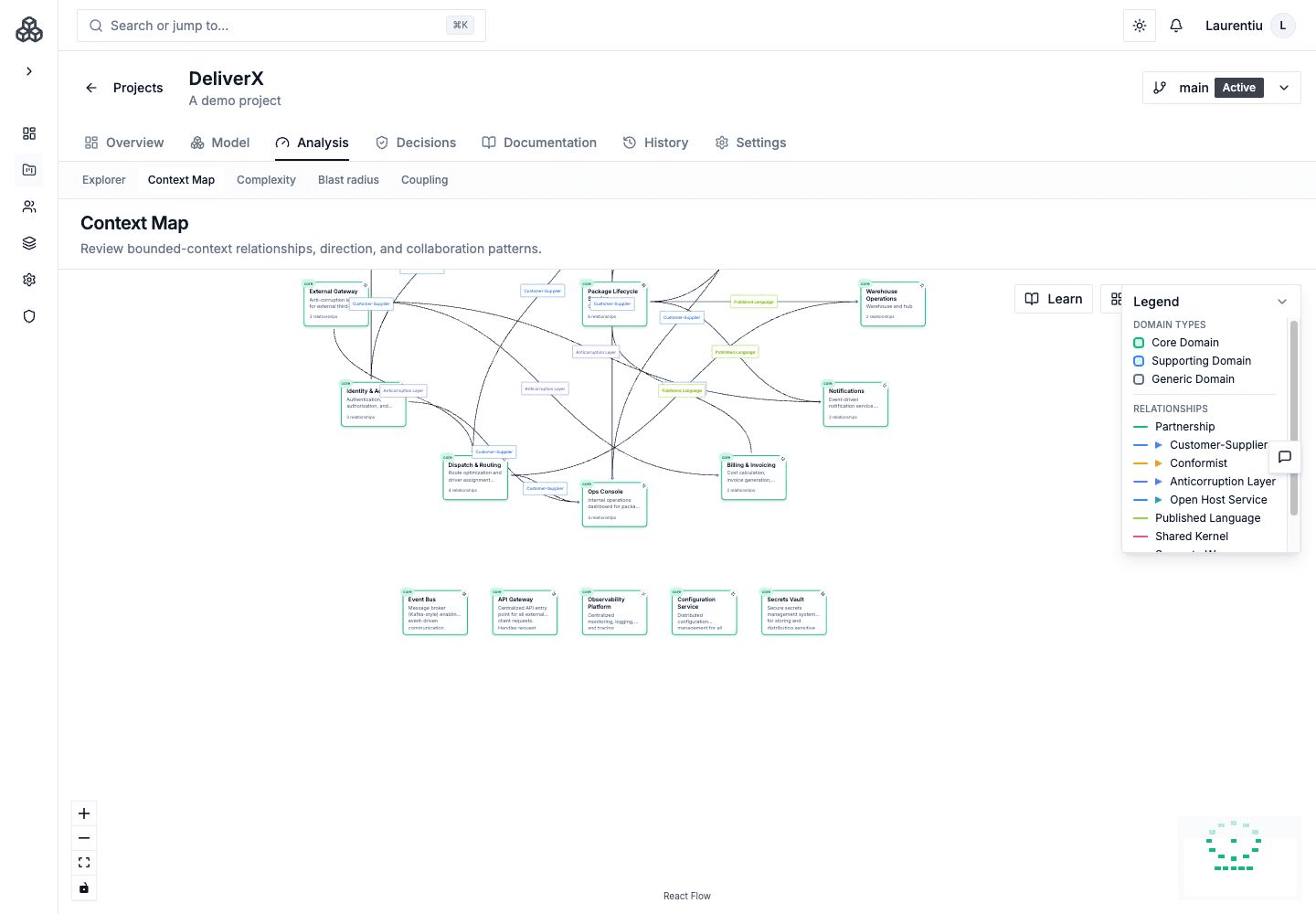
The Context Map provides a project-level view of your architecture's bounded contexts and system relationships, following Domain-Driven Design (DDD) strategic patterns. It helps you see how all your systems relate to each other and define formal integration patterns between bounded contexts.
Accessing the Context Map
From your project navigation, click Architecture → Context Map to open the Context Map page.
What the Context Map Shows
The Context Map displays:
- All top-level systems in your project as bounded contexts
- Context relationships between systems with DDD integration patterns
- System hierarchy showing which containers and components belong to which systems
- Connection patterns revealing integration points and dependencies
Context Relationships
Unlike basic connections, context relationships define the strategic relationship between bounded contexts using DDD patterns:
| Relationship Type | Description |
|---|---|
| Conformist | Downstream context conforms to upstream's model |
| Open Host Service (OHS) | Upstream provides a well-defined protocol for integration |
| Published Language (PL) | Shared language for integration between contexts |
| Anti-Corruption Layer (ACL) | Downstream translates upstream's model to protect its own |
| Separate Ways | Contexts have no integration --- they operate independently |
Managing Context Relationships
Context relationships support full CRUD operations:
- Create --- Click between two systems on the context map to define a new relationship
- Edit --- Click an existing relationship to change its type or add notes
- Delete --- Remove relationships that are no longer relevant
- Validate --- Run validation to check for inconsistencies
AI-Assisted Context Mapping
Archie can help with context mapping through dedicated tools:
- Suggest Context Relationships --- Analyzes your systems and connections to suggest appropriate DDD patterns
- Analyze Context Map --- Evaluates your context map for completeness and consistency
- Create Context Relationships --- Creates relationships based on your architecture analysis
Using the Context Map
Architecture Reviews
Use the Context Map during architecture reviews to:
- Identify all integration points at a glance
- Spot systems with many dependencies (potential bottlenecks)
- Verify that DDD patterns are applied consistently
- Understand the overall shape of your architecture
Onboarding
Share the Context Map with new team members to give them a quick overview of the entire system landscape and how bounded contexts interact.
Planning
Use the Context Map to plan new features by identifying which contexts will be affected and what integration patterns to use.
Relationship to Other Views
The Context Map complements other Archflow views:
- Diagrams show specific perspectives you design manually
- Context Map shows an automatic overview with DDD strategic patterns
- Workflows show business processes that span systems
- Deployments show where systems run
- Blast Radius shows the impact of changes to any system