Behavior Model
Model events, commands, policies, state, questions, and read models
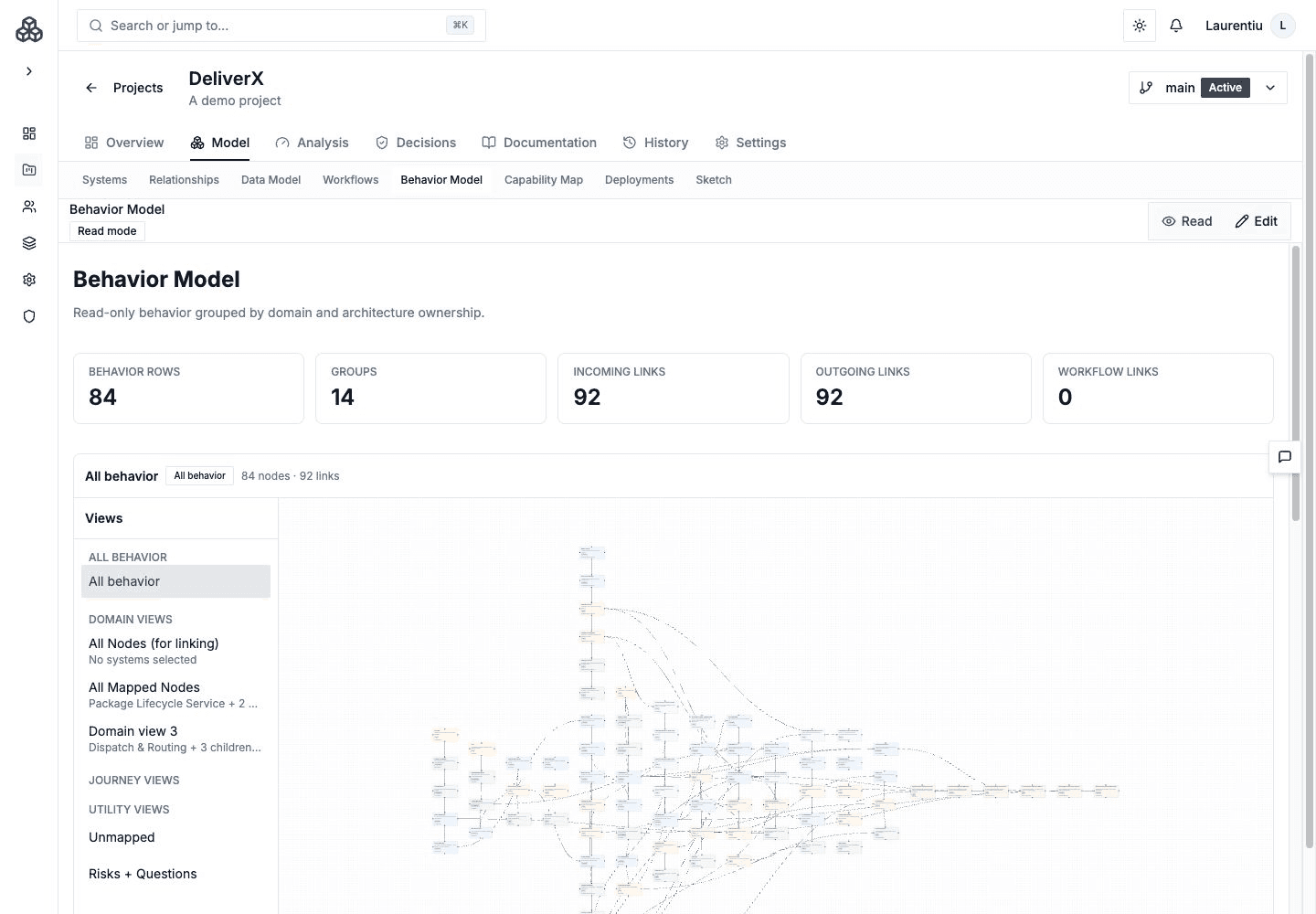
The Behavior Model explains how work and information move through the architecture below the level of a named workflow. Open Model → Behavior Model.
Semantic Model
Use behavior nodes for concepts such as commands, events, state, policies, questions, risks, notes, and read models. Directed links explain how one behavior leads to or depends on another.
Group related nodes by domain, bounded context, capability, or workflow. Groups can be mapped to architecture elements, and group links can be mapped to existing Relationships.
Canvas, Catalog, And Views
| Surface | Use it for |
|---|---|
| Canvas | Arrange and connect behavior visually |
| Catalog | Review semantic items systematically |
| Saved Views | Focus on a bounded slice of a large model |
| Lenses | Reframe layout for timeline or architecture ownership review |
The workspace has explicit read/edit mode, save feedback, layout controls, palette, and inspector.
Connect Behavior To Architecture
- Map groups and nodes to Systems, Containers, Components, or Blocks.
- Map semantic group links to Relationships when they describe the same boundary interaction.
- Promote a well-understood group or connected slice into supported architecture resources through the review flow.
- Link workflow steps to behavior nodes with relation, timing, and notes.
Workflow links connect the business journey to its lower-level semantic behavior. They appear in relevant review and published documentation surfaces.
Coupling analysis currently derives dynamic evidence from workflow co-activity. Behavior mappings provide valuable review context, but they are not a separate input to the Coupling calculation.
Follow Workflow Usage
Select a behavior node to inspect the workflow steps that use it, including the recorded relation, timing, and sequence where available. Follow a usage link to inspect the step in its workflow. This helps distinguish a reused event or policy from a duplicate concept modeled separately for each journey.
In read mode and supported published views, inspect node details and workflow evidence alongside the canvas. A mapping records model intent; it does not establish measured runtime behavior.
Focus A Saved View
Use Saved Views to select the behavior nodes needed for a question, such as QuickBite's payment decision. A focused view is a reading of the existing behavior model; it is not a duplicate model organized under a different owner.
Select a node to inspect its mapped architecture and workflow usage. Supported Workbench references show the selected behavior evidence in context. Change the drawing or edge style for readability without changing the semantic relationship.
Review Questions
- Which behavior crosses an ownership boundary?
- Which node or group remains unmapped to architecture?
- Does a semantic interaction imply a missing Relationship?
- Do important workflow steps link to the event or command that explains them?
- Which policies, state changes, or risks deserve durable documentation?
The Behavior Model is versioned, can be compared and merged, and can be included in published documentation.