Coupling Analysis
Compare static Relationships with dynamic workflow co-activity
Coupling finds mismatches between declared architecture structure and systems that participate together in workflows. Open Analysis → Coupling.
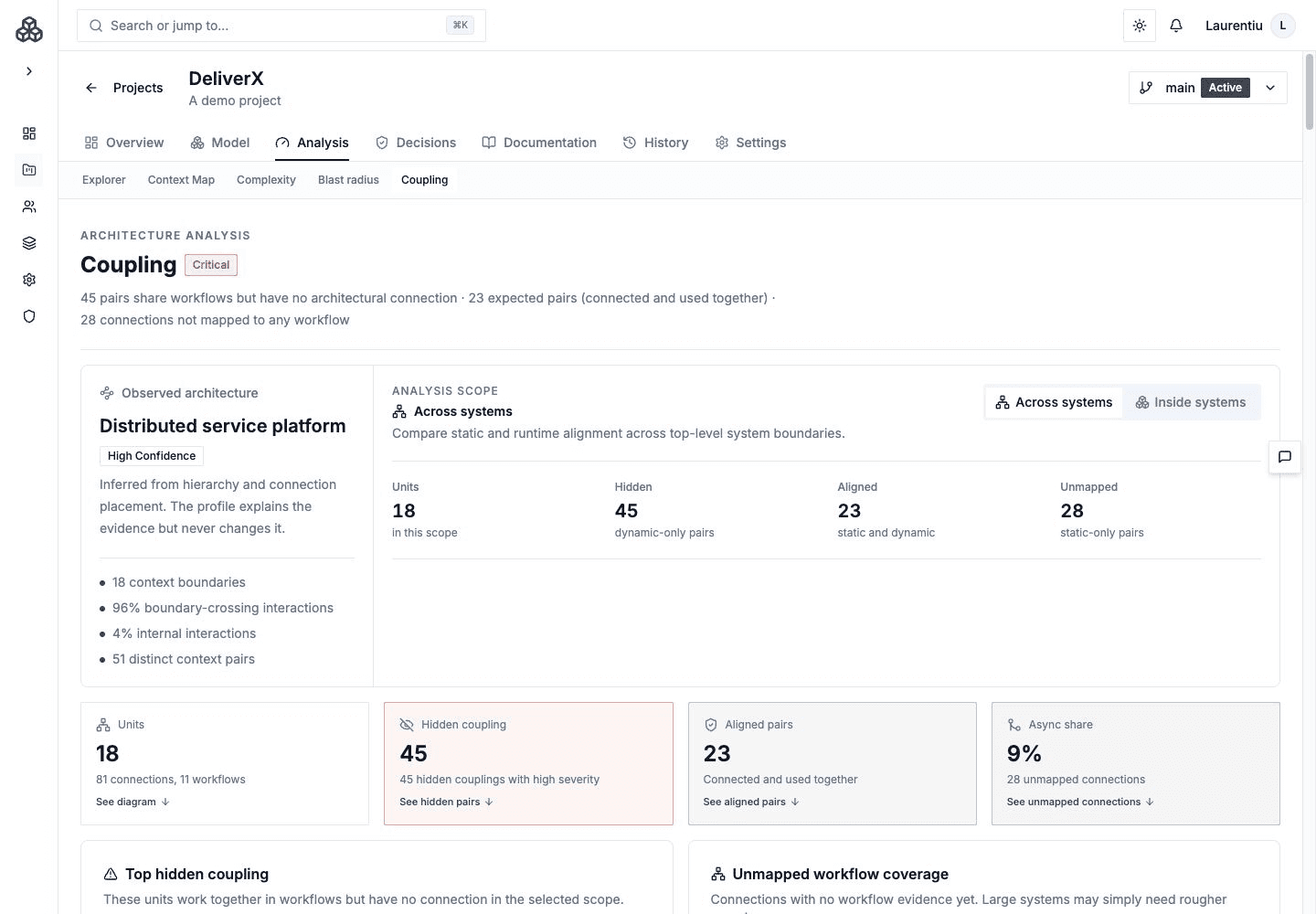
Evidence Model
| Classification | Meaning |
|---|---|
| Hidden dynamic | Two elements participate together in workflows but have no static Relationship |
| Static only | A static Relationship exists but current workflows do not provide co-activity evidence |
| Aligned | Static structure and workflow evidence agree |
The calculation uses the selected version's Systems, Relationships, and Workflows. Behavior Model mappings are useful adjacent evidence but are not a separate Coupling input.
Static-only does not automatically mean obsolete. Workflow coverage may be incomplete, or a dependency may only appear in exceptional paths.
Choose The Right Lens
Use context, module, and leaf lenses to compare coupling at different levels of the hierarchy. A pair that looks acceptable between bounded contexts can still hide excessive leaf-level dependency pressure.
Confirm the scope and lens before comparing counts between reviews.
Review Surfaces
- Cockpit summary and hotspots
- Focused coupling graph
- Static-versus-dynamic matrix
- Searchable Pair explorer grouped by classification
- Selected-element neighborhood and workflow evidence
Pair Explorer
Search by system or workflow, filter pairs by classification and attention level, and sort the results. Expand a pair to inspect its declared Relationships and the workflow evidence behind the classification.
Distinguish direct workflow step links from two elements merely participating in the same workflow. Shared participation supplies context, but it is not proof that the two elements exchange data directly. Use the pair's evidence when deciding whether to add a missing Relationship or improve the workflow mapping.
Review Workflow
- Start with hidden-dynamic hotspots.
- Open the workflows that produce the co-activity.
- Decide whether the static model is missing a Relationship or the workflow mapping is too broad.
- Review static-only pairs for missing workflow coverage or obsolete intent.
- Check a deeper or broader lens before recording the conclusion.
- Capture accepted risks or decisions through Decisions and the Architecture Handbook.